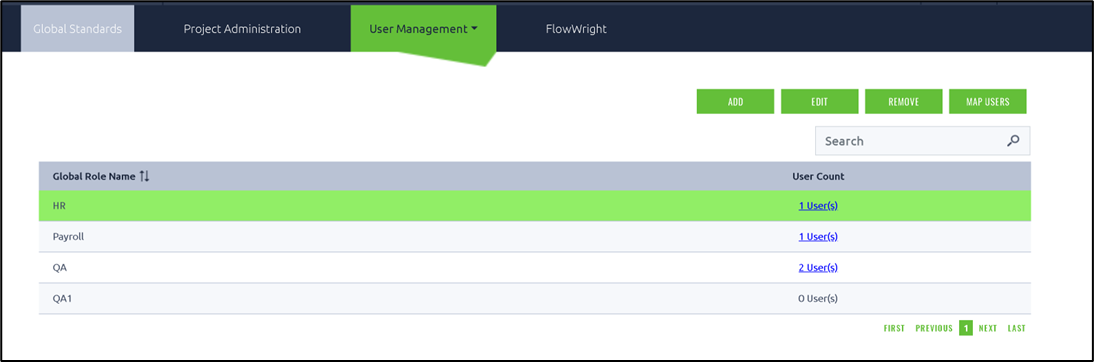
Global roles can be created and assigned to users through the following UI.
You can use the Add button to include a new global role. Select any existing global role from the table and click the Edit button to modify the role mapping. Similarly, the Remove button will delete the global role from the list.
Choose a global role from the table and click the Map Users button to start the role-user mapping.