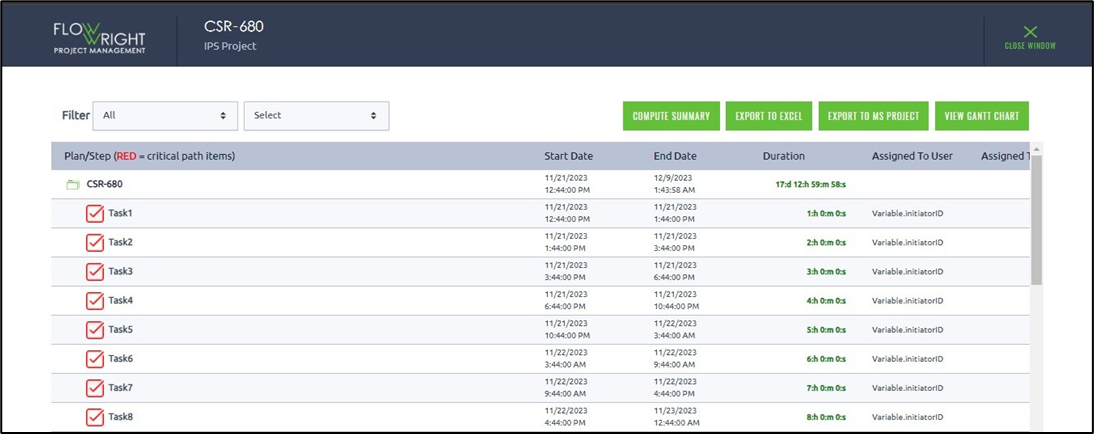
The following options are available for the report:
- Recompute report data
- Export to Microsoft Excel
- Export to Microsoft Project
- View Gantt Chart
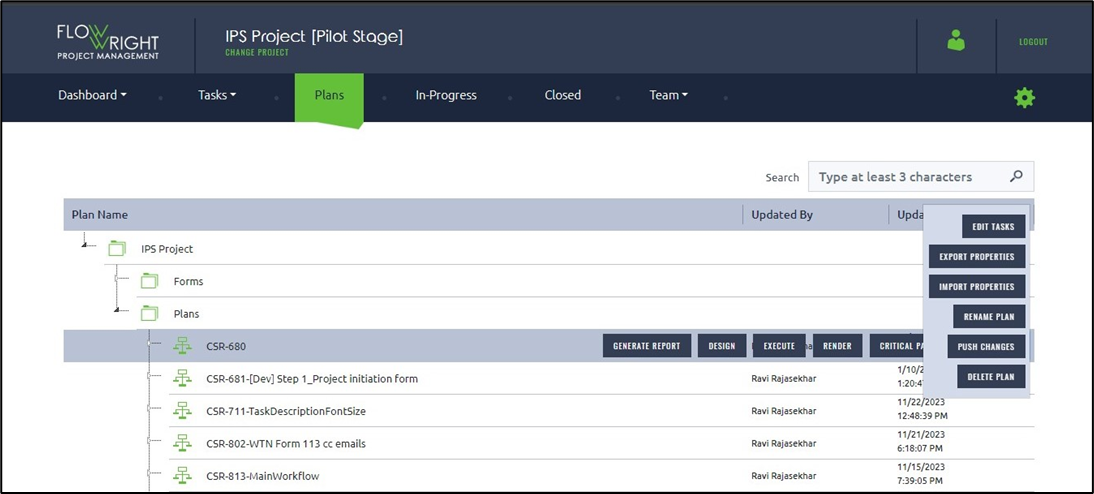
Choose a plan and select Generate from the menu.
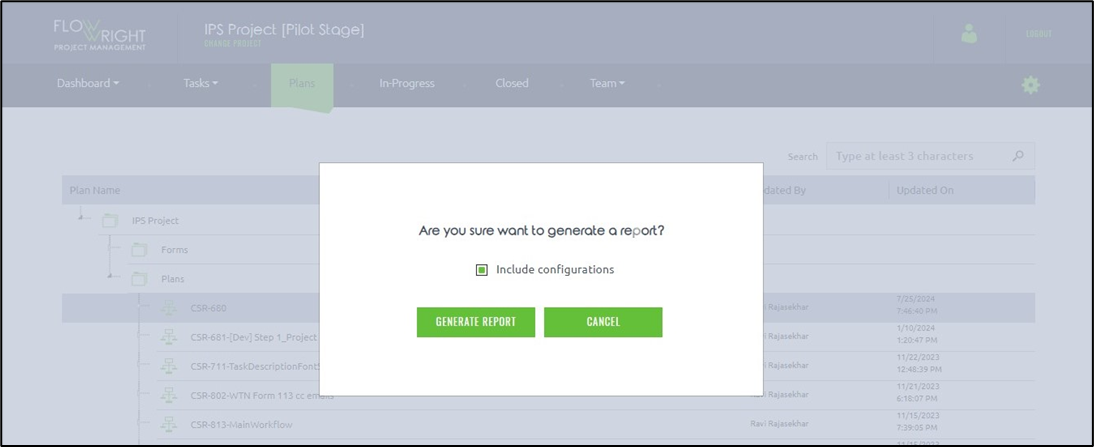
A confirmation popup message appears below. Click the Generate Report button again. You may select the “Include Configurations” checkbox for the report.
The report is generated on the new page. You can save the report as an Excel file using the Export feature.
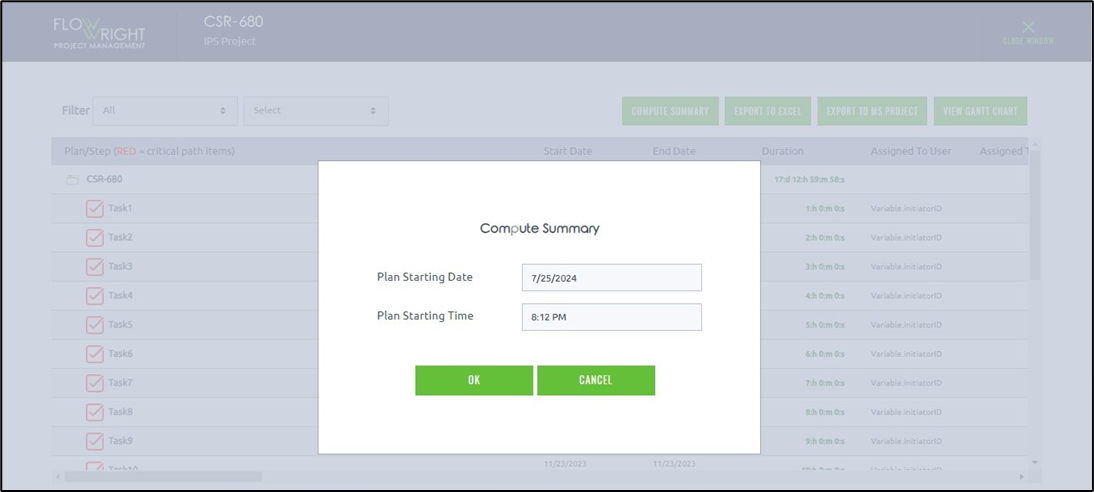
Click the Compute Summary button to recalculate the report. You need to enter the plan start date and time as shown below. Click OK to begin.
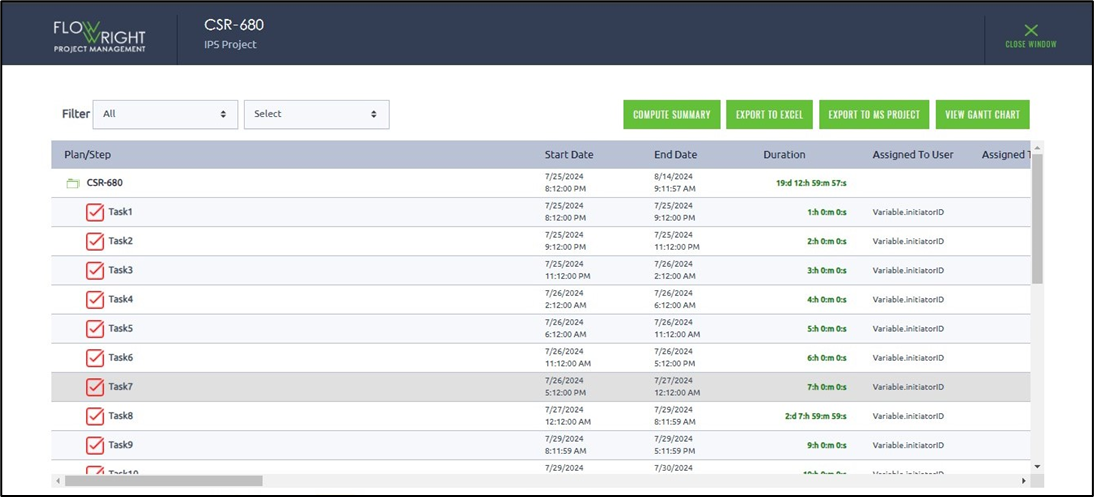
The report is recalculated using the plan date timeline.
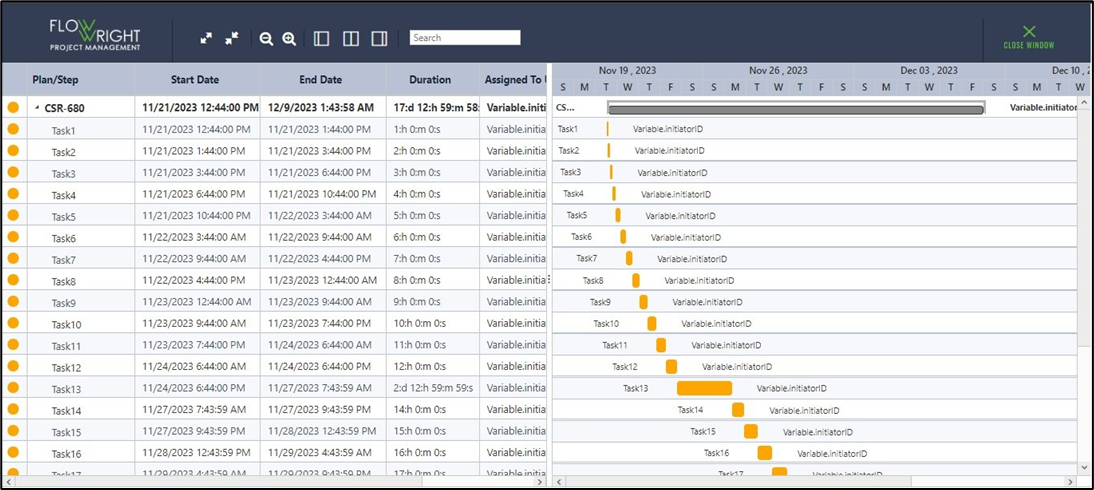
Click the View Gantt Chart button. The report is displayed below.